Working With Structure Assemblies
For this purpose, HiCAD offers a special part type, namely, the so-called Structure assembly. This part type serves the purpose of structuring HiCAD Steel Engineering model drawings into construction sections, e.g. Framework, Platform, Column, Girder etc. An advantage of a structure assembly is that is behaves like a non-BOM-relevant assembly - even if it is in fact BOM-relevant.
To define an assembly as a structure assembly, use the Part attributes function in the context menu of the assembly.
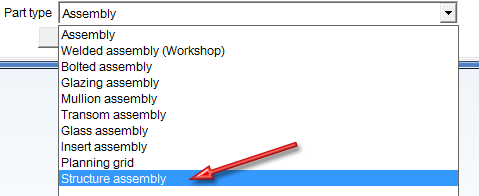
In the Part attributes dialogue window, choose Part type: Structure assembly. Structure assemblies will be marked in the part structure of the ICN with the  symbol.
Further information on structure assemblies can be found in the What are Structure Assemblies? topic of the HiCAD Basics Help.
These assemblies will be saved individually as externally referenced detail drawings, which can then be distributed among several workstations.
 Example 2: Concurrent Engineering


Requirements for a Smooth Operation (DrwMan) • Important Information (DrawMan) • Overview of Functions (DrwMan) • Examples (DrwMan)