Bills of Materials in HELiOS
You have the option to create Bills of Materials from product structures via the Report Manager.
To do this, open the desired article in the HELiOS Desktop and open the Product structure tab. Right-click the desired top article and choose Output to Report Manager....
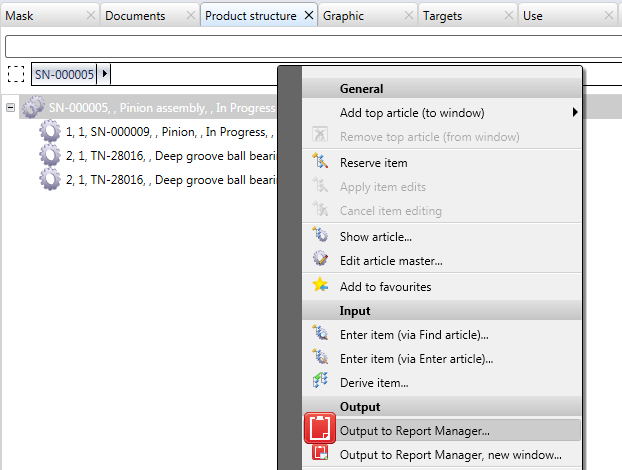
Alternatively, you can choose the Output to Report Manager, new window... function, which opens the created BOM in a new Report Manager window, even if one has already been opened.
 Please note:
-
This function is only available if a complete product structure exists. When you call this function via an individual article, no BOM generation will take place, and an error message (Operation not possible, as no sub-ordinate items exist.) will be displayed.
-
Within the HDE reports in HELiOS you can specify which RM_SETTINGS file should be used to create the BOM.

