Allow Part Exchange in Drawings
In the Configuration Editor at System settings > Referencing you will find the menu item Allow part exchange in drawings.
With this you can set whether parts of already released drawings can be exchanged.
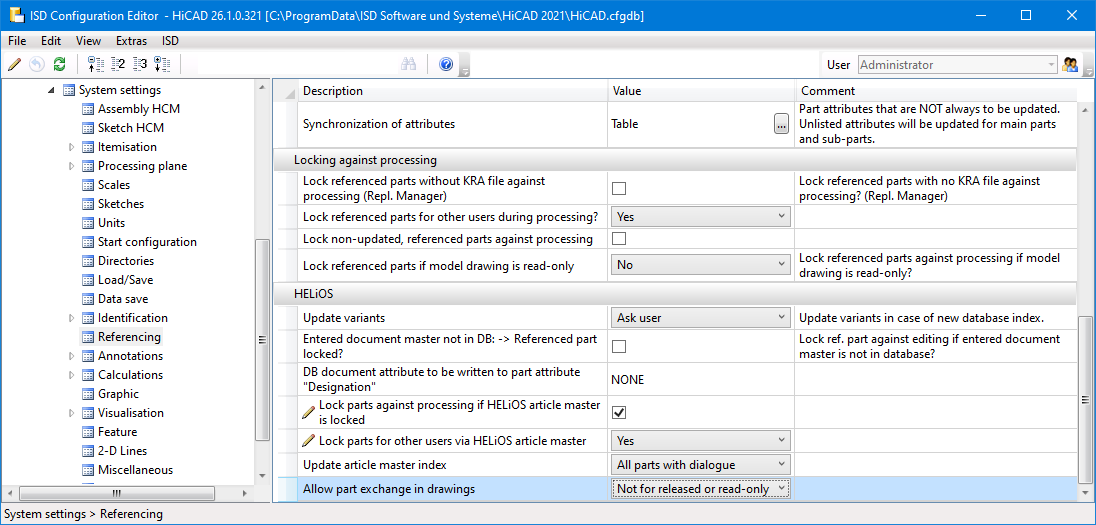
The possible options are:
■ not for released or read-only
If a model drawing with modified referenced parts is loaded, which has been released and for which the user has no modification rights, then the modified referenced parts are not updated.
■ not for released
If a model drawing with modified referenced parts is loaded, for which a user has no modification rights on the model drawing/part master of the model drawing/main assembly due to user/group/role authorisations (i.e. not due to document release but due to authorisations !!), then the modified referenced parts are updated anyway.
■ always
Changed referenced parts are always updated, independent of a possible release and the permissions.
 Please note:
If you are working with a HiCAD version older than HiCAD 2021 SP1 (V 2601), you will find the setting in the HELiOS Options of the HELiOS Desktop at Database > HiCAD > Allow part exchange in drawings.

